Finding Misconfigs
Start with BloodHound’s graph, then sweep with PowerView and bloodyAD to catch what BloodHound misses on granular attributes.ACL Attack Map
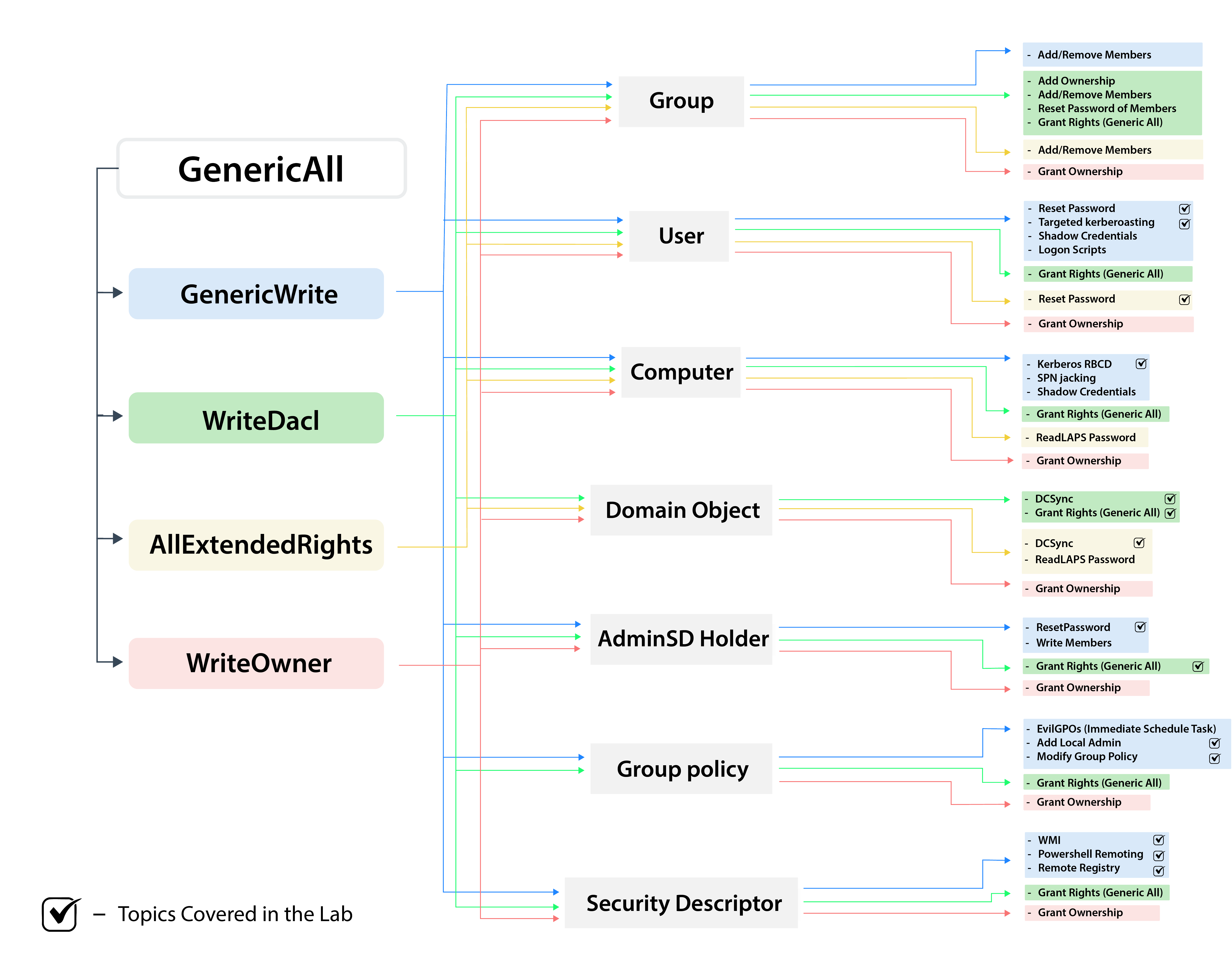
ACL abuse mindmap
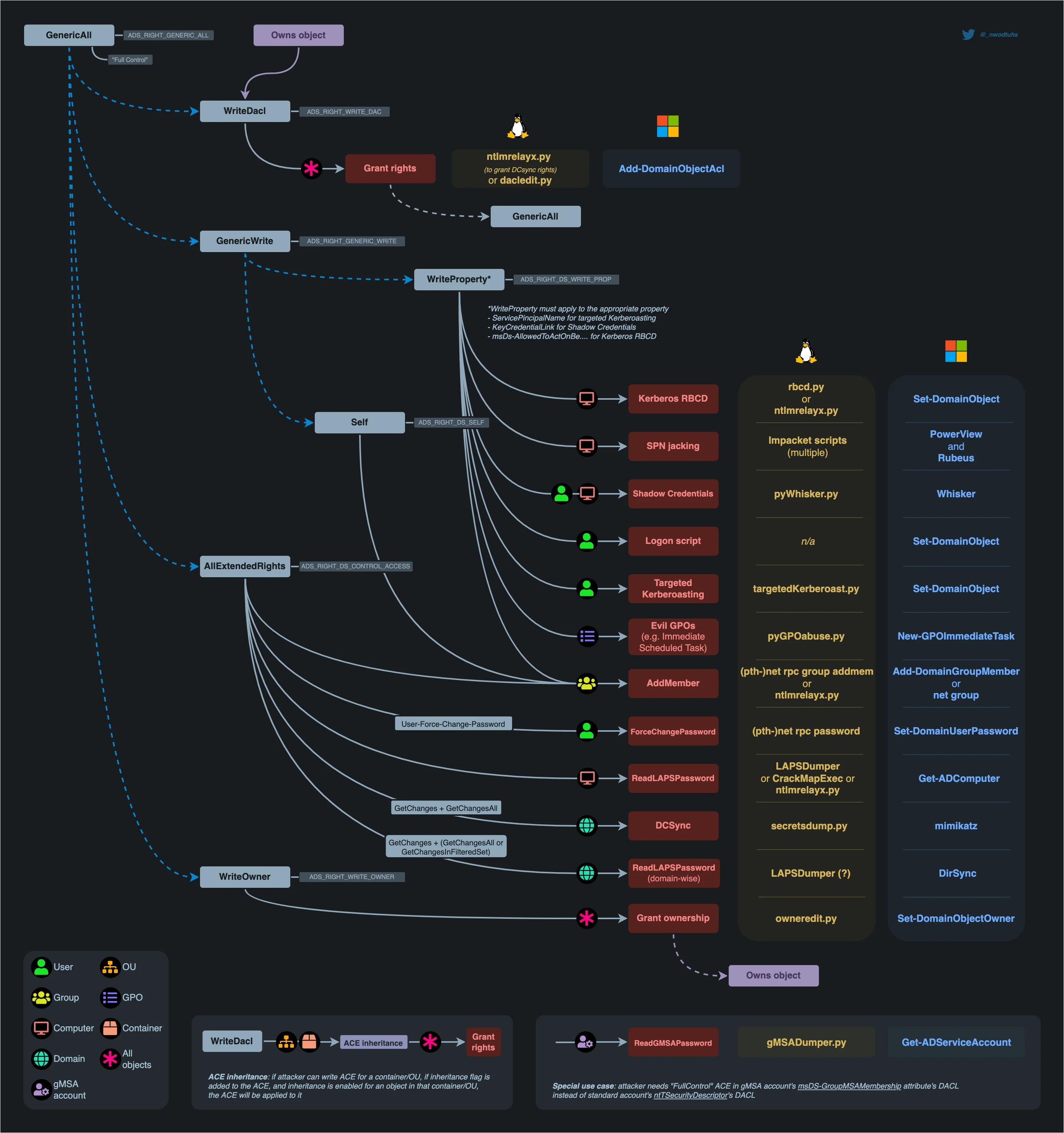
DACL abuse attack paths by right and object type
GenericAll on User
Full control over the object: three viable exploitation paths depending on what’s noisiest or most reliable.GenericAll on Group
Add any account to the group directly: domain admin group membership being the obvious endgame.kdestroy && kinit, or klist purge and re-logon on Windows. See Group Membership Is Baked Into the Ticket.
GenericAll on Computer → RBCD
Set themsDS-AllowedToActOnBehalfOfOtherIdentity attribute on the target computer to configure Resource-Based Constrained Delegation. Full attack chain is in Delegation → RBCD.
GenericWrite on User
Can’t reset the password directly, but can modify writable attributes: SPN for Kerberoasting or msDS-KeyCredentialLink for shadow creds.GenericWrite on Computer → RBCD
Same as GenericAll on Computer: set the msDS-AllowedToActOnBehalfOfOtherIdentity attribute on the target.WriteDACL
Rewrite the DACL on the target object: grant yourself GenericAll or DCSync rights and escalate from there.- Password
- NT Hash
- Kerberos